Smart Home Devices – Guide for beginners
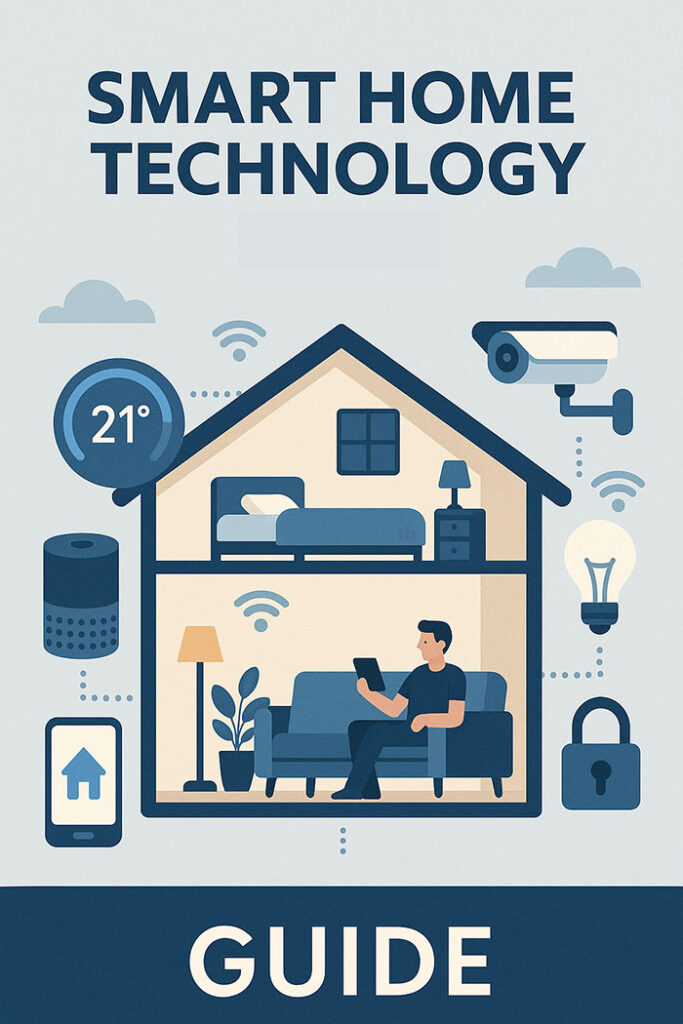
How long do you expect your new Internet-connected thermostat, sensor and other smart home device to last? A year? 2 years? 5 years? Unless you want to replace your new shiny connected home equipment every year, read on…
What is a smart home?
A “smart home” is one which includes technology that allows you to remotely monitor parts of your home and/or automate certain actions, depending on other inputs (such as switching on lights when there’s movement, or a door opens).
In 2025, we almost all have smart devices in our homes, whether we know it or not. They can empower us to manage lives better, but also present security risks if not used correctly. Adding one device here or there is usually not complicated, but when you want to have devices take actions based on inputs from other devices, or orchestrate them, it gets complicated. For example, if a camera detects a person at the back of the house, you may want to turn the lights on upstairs. This can only work if they form part of a single ecosystem, or you have a way to bridge multiple together.
The big ecosystem question — Apple/Google/Samsung vs Home Assistant
The first major question is whether you go with a commercial ecosystem, like Apple Home (formerly HomeKit) or Google Home. These may be ideal if you’re an all-Apple family say, and you’re not overly technical. It doesn’t mean you only need to buy Apple-branded devices, but it means you can use it with the built in integrations on iPhones, etc.
If you’re not technically minded and you want something compatible with the big ecosystems, you’re looking for these logos:

You can view Apple Home, Google Home and Samsung SmartThings-compatible devices. There are also vendor-specific ecosystems like Ring.com which include alarms, cameras and doorbells which are more limited.

If you’re more adventurous, you can look at implementing Home Assistant, a free open source tool that lets you integrate smart home technology together. This is by far the most flexible yet accessible solution which lets you use devices from many manufacturers, but this may require some more tinkering, but you will have more freedom to use what you want. Think of this as a technology version of a ‘DIY’ job. It’s a very rewarding when you get it right.
It’s not a binary choice — You can use many devices which integrate with Apple or Google Home with Home Assistant. For example the Philips Hue ecosystem, has its own app, but you can link it into Google Home, or (with the Hue Bridge v2) Apple HomeKit. All features may not work outside their own app. They also support the open protocol Matter which can be used in Home Assistant.
Protocols
Different smart home devices can run over various protocols; you can mix them however you may need different gateway devices (or “hubs”) in some cases, and you need to think about what works best as a ‘low power sensor’ which isn’t connected to a power source will work better on one protocol compared to something high bandwidth like a doorbell which uses Wi-fi (or even Ethernet):
- Matter
- Open standard backed by Apple, Google, Amazon, Samsung, and CSA
- Works over IP (Ethernet, Wi-Fi, Thread)
- Designed for interoperability between brands with local (non-cloud) control
- Thread
- Low-power mesh network protocol over 2.4 GHz
- Based on IPv6, self-healing, and scalable.
- Often used with Matter as the transport for battery-powered devices.
- Zigbee
- Low-power 2.4 GHz mesh network protocol
- Widely adopted, but different vendor “profiles” can cause compatibility issues
- Requires a ‘hub’
- Z-Wave
- Low-power mesh network using sub-GHz frequencies (better range through walls)
- Lower device count limit than Zigbee but strong interoperability
- Requires a ‘hub’
- Wi-Fi
- High bandwidth but higher power consumption so not idea for battery-powered devices
- Bluetooth Low Energy (BLE)
- Short-range, low-power communication
- Limited range
A word of warning — How long will your devices last? Will the price rise?
If the product you’re buying relies on the cloud, you’re not buying a product, you’re renting it.

When your dumb (non-smart) thermostat fails, you usually call a plumber/heating engineer who replaces it for a new one and you don’t think too much about how long it will last as you expect that it will be many years if not over a decade.
App lifetime — However when you buy a smart thermostat, you need to think about how long it’s supported for. Even if a provider doesn’t actively choose to drop service, if they don’t update their iPhone/Android apps, it’s unlikely your app will continue. Although some devices may work in ‘dumb’ mode (e.g. thermostats) after they can’t be controlled remotely, others (e.g. a Ring doorbell) would be of no use when the app no longer supports them.
Security Updates & Support — Internet-connected devices need security updates to keep them secure. Your smart TV may have a camera or microphone; if it uses some software that is later found to have security vulnerabilities (not at all unusual), then without a patch to fix this, your TV may become a streaming camera for people to spy on you. Manufacturers should tell you how long they will update devices for.
Amazon are selling a Fire TV which they say will be “guaranteed software security updates until at least four years after the device is last available for purchase as a new unit on [their] website”

The problem? You have to scroll down almost to the bottom of the page to find it. See the image on the right below and look for the red arrow we added.

Subscriptions & Cloud Services — If you rely on the manufacturer’s cloud ecosystem, you may be paying a subscription fee for it. This might give you extra functionality in some cases like longer storage of recordings, or it may be fundamental to the operation of the device. There’s no guarantee a provider will not raise their prices after some time, indeed it’s quite common for them to do so. They may also change the available features of cloud services to entice you to buy a more expensive plan.

Will the business still exist? — Even if the business promises 10 years of updates, do you know that the company behind it will still exist in a couple of years’ time, let alone a decade? Often companies will end up selling their ‘assets’ but not the entire business, and you may find yourself with a bricked device which is useless.
Case Study 1 — Neos Ventures dumps customers after Sky UK acquisition

A case study in point was Neos Ventures Ltd, a company that created smart home technology including some great leak sensors. They were bought by the insurance company Aviva before eventually being sold to Sky UK. In 2024 they ceased supporting their products which were now rebranded as Sky Protect with the original products ceasing working later. The business sold products on major sites like Amazon and then made them glorified paperweights after the Sky takeover. This should be a warning to anyone considering proprietary products.
This meant that customers who invested in the Neos ecosystem, found themselves with sensors they couldn’t use any any longer. Although Neos promised refunds, these have not materialised (at least in our experience). We would strongly urge caution in adopting of the Sky Protect product as it could disappear one day just the same.
Case Study 2 — Nest Thermostats and Smoke Alarms
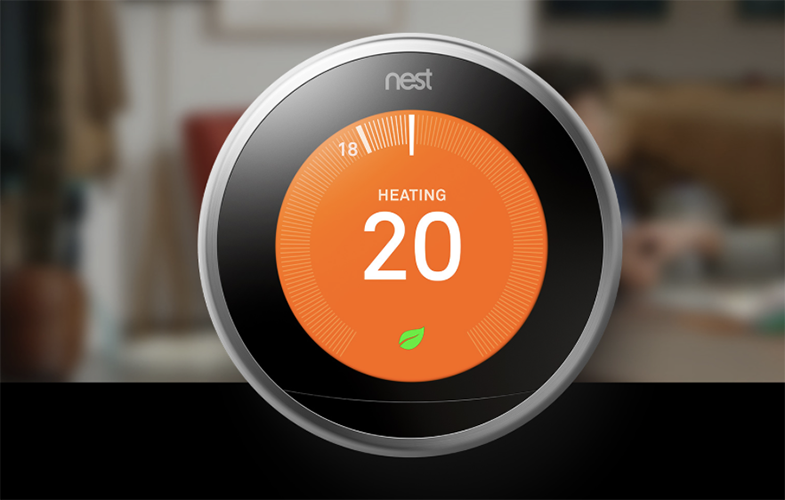
Google bought Nest, the pioneer of the intelligent thermostat which helped lower your energy bills (by learning your routine). Nest had expanded into other products including a combined smoke and carbon monoxide (CO) alarm which cleverly linked into your thermostat and turned your heating off if CO was detected.
Early in 2025, Google discontinued a range of its products in the UK (and Europe) partly we believe due to the complexity of heating systems in Europe compared to the U.S. It has instead partnered with First Alert for a smoke alarm. It also recommends the Tado thermostats and won’t be releasing a 4th generation thermostats in Europe.
Here Google have made some attempts to keep things working, and to be fair to Google they are still supporting thermostats with the exception of some very old models. The problem is if you’ve invested in a Nest ecosystem, it’s going to no longer be the same ecosystem, so if you have an existing setup, you’re getting a bit screwed. Google still do have some stock they are selling, but it does leave a bitter taste in the mouth.
However, which of these looks better?

Case Study 3 — Logitech Smart Buttons become e-waste
Logitech launches some smart home “Pop Switches” in 2016 which allow you to switch things on/off in your home or trigger other automations. Nine years later, it has given users just over two weeks’ notice that they will be bricked (stop working) on 15 October 2025 when it turns off its cloud service. Do you need to replace every dumb light switch in your home every 10 years? No. Many last far longer than that, and this is pure profiteering.
This pattern of large companies buying start-ups and then making the products worse and/or discontinuing them is a real problem beyond IoT. The answer to all of these is to try and focus on products which support open standards and don’t rely on any proprietary software or ecosystems.
Other examples of cloud-connected devices becoming e-waste
Bose SoundTouch Smart Speakers will stop working on many services from 18 February 2026 after the cloud support is being withdrawn. This disabled Spotify, TuneIn and multi-room playback. Bluetooth and AUX input should continue to work according to TheRegister.
What smart home devices are out there?
There are various types of smart home devices you should consider, both in terms of your current but also future need. These broadly fall into these categories:
- Lighting — GU10 Bulbs (down lights), bayonet and screw cap, built in lights, light-strips, switches
- Heating/Cooling — Intelligent thermostats controlling your heating (and possibly air conditioning), thermostatic radiator valves (TRVs) that control the temperature of individual radiators
- Security — Alarm systems, cameras, smart doorbells, motion sensors, presence sensors, pressure sensors or mats
- Sensors — Smoke/Fire Alarms, Air Quality Senstors (PM2.5, CO2, etc.), Water Leak Sensors, Water Usage Sensors, Electricity usage monitoring
- Appliances — Smart ovens, fridges, freezers, washing machines, dishwashers, ovens, etc.
- Solar PV & Battery Storage — Including inverters
- EV Chargers — In particular these may link into solar PV systems
Safety First — The above categories include items which should only be installed by a professional such as an electrician as there are specific regulations which need to be followed and which may not be obvious to a DIYer. This includes solar PV, battery storage and EV chargers which require certain notifications to the DNO (the company which runs the electrical grid), have restrictions about where you can install batteries say (not in lofts any more!). Similarly EV chargers are new circuits and require testing/certificates by an electrician.
Security & Wireless Systems — Remember that wireless signals can be blocked by criminals so if you’re installing security systems or devices (camera, etc.) and they operate on Wi-Fi, these can be blocked and be effectively useless when you most need them.
Local storage vs cloud — Most people may prefer the ease of cloud storage for things like camera recordings as it’s easier to manage than building your own system, and it can be safer for security related devices, but it does mean your data is on servers you don’t control, so it might be possible for law enforcement to gain access without your knowledge.
Electric Vehicle (EV) charging, Solar (PV) charging and battery systems
There are many EV chargers out there, as there are solar panel solutions and battery systems which provide you with time shifting capabilities (e.g. using excess solar to heat up water tanks, using cheap energy from overnight to charge batteries, etc.
This is a complex topic of its own and we’re not going to recommend a specific solution here, however what is important is that you consider these devices as one ecosystem. You want to ensure that when you have excess solar power on a sunny day and you’ve filled up your home battery, EV battery and heated up your hot water, before you start selling electricity back to the grid. Having an ecosystem that enables all this to work together is key. Also, some electricity tariffs can give you cheaper EV charging prices (e.g. Octopus Intelligent Go and some other variants) which you can also use to charge up your battery for a cloudy day.
What you don’t want to do is have a solar inverter from one company, a battery from a second, an EV charger from a third, as this is least likely to work well. Instead you can get solutions from say MyEnergi with their Zappi EV charger, Libbi battery solution, and Eddi controller for hot water heating. Again it’s worth noting this is an ecosystem you’re buying into, which has risks as we’ve identified above.
It goes without saying that with a lot of time and knowledge, you can link various systems together, however you need to decide if you have the skills and time to do this. Even those with the ability to create custom setups value simplicity and something that ‘just works’.
Smart Home Installation and Wiring
If you’re moving into a new home, one of the first things you may think about is whether you should re-wire the home before you move in and before your furniture or carpets are laid. Most smart home technology uses wireless protocols, be it Wi-Fi (ovens, dishwashers, doorbells, etc.) or Zigbee/Z-Wave/Thread, however it is definitely worth considering wiring for your network for some specific reasons, security being the top one.
You should consider the following in terms of wiring:
- Power — Ensure you have appropriate 230V power sockets available anywhere you need these, such as floodlights for outdoor use, and where your broadband router is located.
- Ethernet — Having Cat6 (or Cat6a/Cat7) cable from a central point (where you can locate a Power-over-Ethernet (PoE) switch and distribute Internet through to wireless access points and security cameras. Having physical network cables to security cameras is important so that Wi-Fi blocking isn’t used to block them recording criminal activity, something we’re seeing more often. Having a network cable to your doorbell location, even if you don’t yet plan to use a wired doorbell and PoE would be advisable for the same reason. Beyond cabling to wireless access points (if you need more than your broadband router’s integrated one) makes sense. You nay benefit from cabling to an office, but most other uses will work fine over Wi-Fi.
- Fibre Optic Cabling — If you’re someone who needs faster connections (think 25Gbps or faster) between some devices, then you may wish to consider laying fibre optic cabling, although this is a bit more of a niche area for tech nerds. Don’t forget that copper Ethernet can deliver power using PoE, whilst fibre cannot, so faster is not always better.
- Trunking — The most future-proof option and used in some Nordic countries, running conduit between the central location and the places you need cabling could mean you can add whatever wiring you need without taking up floorboards or cutting into plasterboard.
Best Smart Home System in the UK
There are so many systems and devices that there can be no ‘best smart home’ solution for everyone. There are some very expensive professionally-installed systems and those you can fit yourself and expand as you go, We’re focussing on the latter.
We’ll be writing more about different product ranges, but in the mean time here are some of our thoughts based on experience with various brands and devices: –
- Ring — Simple products but tied to Ring ecosystem mostly. Wi-Fi devices are vulnerable to blocking/interference so caution should be used when using for security.
- Google Nest — Due to recent withdrawals from UK/EU market, we would caution against all Google-branded smart tech products. If you’re an all-Google family then there’s a lot to be said for Google Home integration.
- Amazon — Specifically for the Amazon Echo smart speaker series, a great option for voice control. You’d need to check compatibility with other devices you want to use.
- Apple HomePod — If you’re using Apple Home then this may be worth considering however we haven’t tested these and feel like these are too proprietary to recommend.
- Philips Hue — They produce some stunning lighting solutions which do work well both on their own app but also with third party apps. Quality is generally good, but they can be quite pricey. For lighting, they are a well known trusted brand.
- Ikea — The self build furniture chain produces some lightbulbs, etc. which can be controlled through the Philips Hue app and other home automation systems. Worth searching around on how to use these are they can be quite economical.
- Aqara — A specialist brand in home technology which includes cameras, security sensors, leak, climate, gas, smoke and even air quality sensors. These can be used with the Aqara app with a hub or you can integrate them into Home Assistant. Probably our favourite brand at the moment.
- Reolink — Included specifically due to their excellent value doorbell which can work over PoE (Power over Ethernet; can’t be blocked like Wi-Fi. Their focus is camera systems and doorbells. Comparing to Ring, a PoE capable doorbell is multiple times the cost. The Reolink one also offers local storage as an option.
- Shelly — Well designed high quality relays, plugs and sensors including local contrlol which future-proofs your investment. They also do have a flexible app which lets you define automations in the cloud.
- Emporia Energy — They produce a range of power monitoring tools from CT clamps (both for incoming feeds as well as circuits inside consumer unit) as well as plugs you can control. We haven’t tried to integrate these into HomeAssistant yet however for monitoring they seem to work very well.
Our favourite Smart Home YouTube videos
There are many YouTube creators focussing on on smart home technology which may give you ideas.
Also, a great channel for reviews and comparisons of different options like cameras with useful real life tests:
Finally, if you’re considering Home Assistant, check this out:
Conclusions
You need to consider what smart home/IoT technology you want to use in the long term and then see how you can build an ecosystem that makes sense for you. If you’re technically minded, you’ll have different priorities in terms of open ecosystems and flexibility, whilst those who want it to ‘just work’ will probably need to rely more on well known ecosystems that makes things easier.
Whatever you do, the question you need to ask vendors is how will you be supporting the product. It’s not a perfect as we’ve explained, but it will at least inform you how long you should expect a connected product to last.
 Test your broadband speed
 Follow us on X for the latest broadband news